
ReArty: AI Photo, Video Maker
BlazeTech LTDArt & Design
4.448.00 Reviews
- Version
- 2.9.0
- Installs
- 10.00K
- Age Rating
- Teen
Screenshots
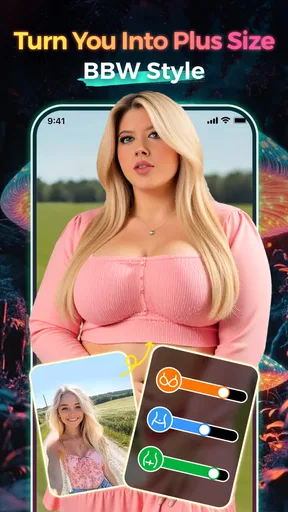
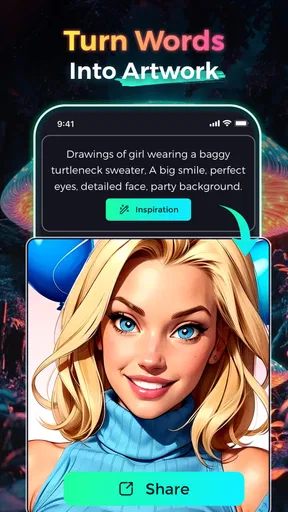
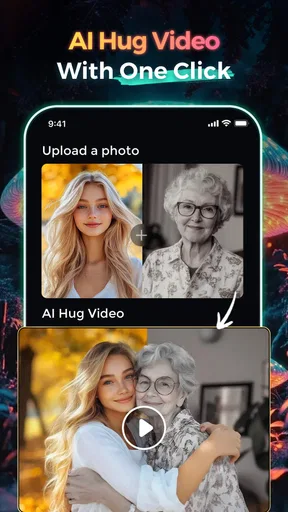
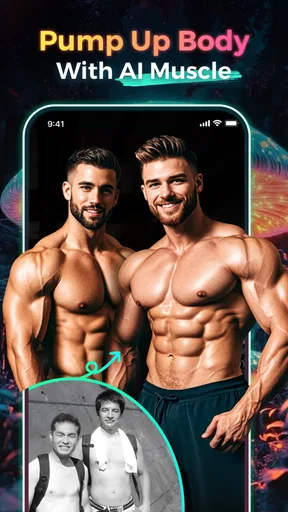
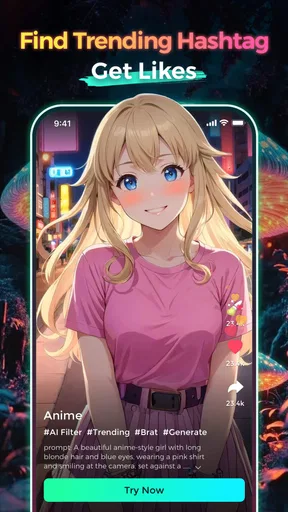
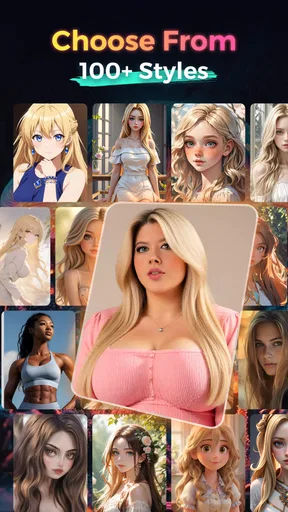
Our Review of ReArty: AI Photo, Video Maker
 Analysis by Appyee
I found ReArty: AI Photo, Video Maker most interesting when I treated it as a quick creative companion rather than a complete replacement for a traditional editing suite. It sits in the Art & Design category and focuses on AI-assisted images, short visual experiments, headshot-style results, and photo or video transformations. In everyday use, that makes it appealing when I want to explore an idea quickly without opening a complicated desktop editor.
The app is free to install, although it includes optional purchases priced from $4.99 to $29.99 per item. It is made by BlazeTech LTD, carries a Teen content rating, and runs on Android 7.0 or later. Its current version is 2.9.0, and it has built a modest but noticeable audience, with over 10 thousand installs and a 4.4 average from more than 100 ratings. Those figures suggest a generally positive early reception, but I would still approach it as a developing creative tool rather than a mature professional platform.
How ReArty feels when the network is part of the workflow
The central appeal is the speed of turning a rough idea into something visual. Instead of manually adjusting every layer, I can begin with a photo or a concept and let the app’s AI-oriented tools do much of the heavy lifting. That is especially useful for profile images, playful portraits, social posts, mood boards, and visual references that do not need to be perfect on the first attempt.
That convenience also changes how I judge the app. With a conventional editor, I expect basic tools such as cropping, color adjustments, and local changes to remain predictable. With ReArty, the interesting part is the generation process, so the experience depends more heavily on sending an image or request through the app’s processing flow. A stable connection makes experimentation feel natural; a weak connection turns a quick idea into a waiting exercise.
I would not recommend opening it for the first time while rushing to finish an important post. AI creation works best when I have enough time to try a variation, inspect the result, and decide whether to adjust the source image or start again. The app is more enjoyable when I see each result as a draft instead of expecting the first output to be final.
The best way to use ReArty is as an idea accelerator, not as a guarantee of one-click perfection. That distinction matters because AI images can look impressive at a glance while still showing awkward details, inconsistent styling, or a result that does not match the original intention closely enough.
Why connectivity affects creative momentum
When the connection is reliable, the app encourages a useful loop: choose an input, select a visual direction, wait for processing, and compare the result with the original. That loop is simple enough for casual users, yet it can become surprisingly productive when I am exploring several concepts for the same image.
On a congested mobile connection, however, the waiting becomes more noticeable. A generated image is not like a local brightness adjustment that appears immediately. If the request takes time or fails, the creative rhythm breaks. I therefore prefer using the app on a dependable Wi-Fi connection when I am testing several ideas, especially with larger source photos or video-related work.
This is also why I would not judge the app only by the quality of a single result. The practical question is how easily I can continue after an imperfect attempt. AI editing is inherently iterative, and a tool that makes retries simple can be more useful than one that produces a spectacular result once but creates friction afterward.
What it is like on a phone
ReArty makes the most sense on a phone because many of its likely use cases begin with a phone photo. I can imagine using it after taking a portrait outdoors, while preparing a quick social image, or when I want to test a different visual identity without moving files to another device. That direct path from camera roll to creative experiment is its strongest everyday advantage.
There is a trade-off, though. A phone screen is convenient for selecting an image and reviewing a general impression, but it is not ideal for inspecting small facial details, edges, hands, text, or subtle artifacts. I would check important results at a larger size before using them for a professional profile, printed material, or anything where a strange detail could be embarrassing.
For a casual post, speed may matter more than precision. For a headshot used in a résumé or business profile, I would be stricter. AI styling can improve lighting and presentation, but it can also change the character of a face or make the result feel less authentic. I prefer using the original photo as a reference and comparing the generated version carefully instead of accepting a polished appearance automatically.
The video side deserves the same caution. A still image can hide inconsistencies that become obvious when motion is involved. If I were making a short visual clip, I would review the whole result rather than judging it from a single attractive frame. This is one of the less obvious trade-offs of an AI photo and video app: a strong thumbnail does not necessarily mean a convincing sequence.
A realistic everyday workflow
Imagine I have taken a plain portrait before meeting friends and want something more distinctive for a social profile. I would start with a well-lit image, avoid a cluttered background, and choose a style that supports the purpose rather than simply selecting the most dramatic option. After processing, I would compare the face, hair, clothing, and background with the source. If the result looks too artificial, I would return to the original and try a subtler direction instead of repeatedly pushing the same image further.
That workflow saves time because the preparation happens before the AI request. A sharp, simple source gives the app a better starting point than a dark image with several people, heavy motion blur, or an obstructed face. This is not a promise that every generation will work, but it is a practical way to reduce wasted attempts and make the results easier to evaluate.
For a small business owner, the same approach could help create a few visual concepts for a post or campaign before investing time in a polished design. I would use the outputs as references for mood, color, or composition, then refine the selected idea elsewhere if exact branding, readable text, or consistent product presentation mattered.
Using the app when things go wrong
AI tools need a more patient recovery strategy than ordinary filters. If a request does not produce the expected result, I first ask whether the source image is the problem, whether my direction was too broad, or whether the connection interrupted the process. Changing only one factor at a time makes it easier to learn what improves the output.
A useful habit is to keep the original image untouched and treat every generated version as a separate experiment. That protects the starting point and prevents a disappointing result from becoming the only copy available. It also makes comparison easier, which is important when the app changes more than I intended.
If processing stalls, I would avoid immediately submitting the same request repeatedly. That can create confusion about which attempt succeeded and may waste any limited usage associated with generation or premium actions. Instead, I would wait, check whether the result has appeared, and then reopen the workflow only if necessary. The exact behavior can vary by device and connection, so a calm, sequential approach is safer than tapping through several screens in frustration.
When an output looks wrong, changing the input can be more effective than writing a longer or more complicated instruction. A cleaner crop, a face that is more clearly visible, or a less crowded composition gives the system a better foundation. This is a concrete advantage of learning the app’s behavior: I spend less time blaming the style and more time improving the material I provide.
Where the app is less dependable
I would be careful with images that require factual precision. AI-generated or heavily transformed visuals are not the right choice when a product must look exactly as it does, when packaging text must remain accurate, or when a person’s appearance must be preserved without alteration. In those cases, a conventional editor with manual controls is usually the better option.
The same applies to detailed retouching. If I need a specific blemish removed while keeping every surrounding texture intact, a standard photo editor offers more direct control. ReArty is more appealing when I want a broader transformation, a new visual mood, or a fast concept rather than surgical accuracy.
Video work may also expose the limits of a mobile AI workflow. Longer projects, precise timing, layered sound, captions, and frame-by-frame corrections are better handled in a dedicated video editor. ReArty can be useful for generating or exploring visual material, but I would not make it my only tool for a complex production.
Being careful with mobile data and personal images
Because the app’s main value comes from AI processing, I would use it thoughtfully on a mobile data plan. I prefer preparing several source images first and then working through them during one reliable connection rather than sending isolated experiments whenever I have a few spare seconds. That reduces interruptions and makes the process feel more deliberate.
I would also avoid using sensitive images casually. Personal portraits, family photos, identity documents, confidential work, and private client material deserve extra care in any AI service. Before uploading something important, I would consider whether the image is appropriate for an online creative workflow and whether I am comfortable with the app handling it. This is not a criticism unique to ReArty; it is a sensible boundary for AI image tools generally.
Data-conscious use also means choosing smaller, clearer tasks. If I only need a profile image concept, I do not need to process a large collection of nearly identical photos. Selecting the strongest source first saves time, reduces unnecessary transfers, and gives me a clearer basis for judging the result.
For travelers, the app can be enjoyable when connected to dependable Wi-Fi, but I would not build an entire creative plan around being able to generate images during a flight, in a remote location, or in a crowded venue with unstable service. The safest assumption is that the most important creation steps may depend on a working connection, so I would prepare alternatives in advance if the result is time-sensitive.
Who should try it, and who should skip it
I think ReArty is a good match for people who enjoy visual experimentation but do not want to learn a complicated editing interface. It is particularly suitable for casual creators, social media users, people exploring AI portraits, and anyone who wants to turn an ordinary photo into a more stylized concept. The free entry point makes it easy to test the basic experience before deciding whether optional purchases are worthwhile.
It is less suitable for users who need exact manual control, fully predictable retouching, or a professional production pipeline. Designers working with strict brand guidelines may find the creative freedom frustrating when consistency matters more than novelty. Likewise, someone who primarily wants simple cropping, exposure correction, or text placement may be better served by a traditional editor that performs those tasks directly.
The Teen rating is worth keeping in mind for families. I would not treat an AI art app as automatically appropriate for every younger user simply because it is easy to operate. Image prompts and transformations can produce mature or uncomfortable themes, so supervision and sensible boundaries remain important.
How it compares with familiar alternatives
Compared with a standard photo editor, ReArty is more exploratory and less exact. A conventional editor wins when I already know the change I want: brighten the subject, crop the frame, remove a small distraction, or adjust color consistently across a set. ReArty wins when I am asking, “What would this look like in a different visual direction?”
Compared with a dedicated video editor, it is likely to feel lighter and more immediate for AI-led visual experiments, while losing ground on timeline control and detailed finishing. I would use it at the beginning of a project to discover an idea, then move to a specialized editor when pacing, sound, captions, or precise transitions become central.
Compared with a manual portrait retouching app, its headshot-oriented appeal is convenience rather than complete control. That can be valuable when I need a presentable concept quickly, but it also means I should inspect whether the result still looks like me. A natural, modest improvement is often more useful than an extreme transformation.
The optional purchase range also affects the comparison. Since the app is free to start but can charge for individual in-app items, I would test the workflow first and decide whether the kinds of outputs I actually need justify spending money. I would not pay simply because a preview looks impressive; I would pay only after confirming that the result fits a recurring use case.
My connectivity verdict
ReArty is at its best when I have a stable connection, a clear creative goal, and a willingness to compare several attempts. Its AI focus makes ordinary phone photos more open-ended, and the combination of photo, video, headshot, and art-oriented tools gives casual creators several reasons to explore it. The experience feels more playful than a traditional editor and less intimidating than a full creative suite.
Its main friction is inseparable from that same appeal: AI processing can interrupt the flow when the network is unreliable, and the results still need human judgment. I would not use it as my only editor for exacting work, confidential images, or complex video projects. I would also keep mobile data use in mind and avoid assuming that every creative step will be available in poor-connectivity situations.
After testing the idea behind ReArty: AI Photo, Video Maker, I would recommend it to anyone who wants fast visual experiments on a phone and understands that generation is a process of refinement. Start with clean source images, work on a dependable connection, preserve the originals, and inspect important results closely. If that sounds like the kind of creative workflow you enjoy, the free version is a sensible place to begin. If your priority is precision, consistency, or offline-style reliability, a conventional photo or video editor will probably serve you better.
Overall, ReArty: AI Photo, Video Maker earns its place as an approachable AI art and editing app, especially for spontaneous ideas and social visuals. I like it most when I use it to discover possibilities rather than to finish every project. That honest expectation makes the network dependence easier to manage and leaves the app with a clear, useful role on a mobile device.
Verdict
Strengths of ReArty: AI Photo, Video Maker
- Turns simple photos into creative AI art with minimal effort.
- Offers multiple visual styles for experimenting with different looks.
- Useful for creating eye-catching social media posts and profile images.
- Video-making tools add motion and variety beyond standard photo filters.
- Intuitive interface makes the main editing features easy to find.
Limitations of ReArty: AI Photo, Video Maker
- AI results can vary noticeably depending on the source photo.
- Some advanced styles or effects may require a paid subscription.
- Processing times can increase when creating detailed images or videos.
- Generated faces, hands, or small details may occasionally look unnatural.
- Frequent creative use may consume significant storage and mobile data.
Other Releases by BlazeTech LTD
View All
DLOOK: AI Outfit Stylist
Beauty4.7
Similar Picks in This Category
View All
Canva: AI Photo & Video Editor
Canva4.8

PENUP – Drawing-sharing SNS
Samsung Electronics Co., Ltd.4.5

Crafto
Kutumb App4.6

Sketchbook
Sketchbook4.1

ibis Paint X
ibis inc.4.5

Adobe Express: AI Photo, Video
Adobe4.6
Frequently Asked Questions
What is ReArty: AI Photo, Video Maker used for?
ReArty: AI Photo, Video Maker is a creative editing app designed to transform ordinary photos and videos into stylized visual content. It typically combines AI effects, artistic filters, templates, animations, and music-based editing tools in one place. It can be useful for creating social media posts, profile pictures, short clips, slideshows, and experimental artwork without requiring advanced editing experience.
Does ReArty require an internet connection to work?
Many of ReArty’s basic editing features may work after the app has loaded its available tools, but an internet connection is generally important for AI processing, downloading effects, accessing templates, synchronizing content, or viewing advertisements. Availability can vary by feature and device. If you plan to use the app while traveling or offline, it is worth testing the specific effects you need beforehand.
Is ReArty: AI Photo, Video Maker free to download and use?
ReArty can usually be downloaded without an upfront charge, but free access may include advertisements, limits on certain effects, watermarks, or restricted export options. Some advanced AI styles, premium templates, and additional editing tools may require an in-app purchase or subscription. Before confirming payment, review the pricing, billing frequency, trial conditions, and cancellation process shown in the app store.
Can ReArty create both edited photos and videos for social media?
Yes, the app is intended to support both photo and video creativity, making it suitable for users who want more than simple image filters. Depending on the current version, you may be able to apply AI transformations, combine images into animated clips, add music, use ready-made templates, and export content in formats appropriate for social platforms. Export quality and duration can depend on the selected tool or plan.
Is ReArty safe for uploading personal photos and videos?
Before using ReArty with private or sensitive media, check its privacy policy and the permissions requested on your Android or iOS device. AI editing may require files to be uploaded to remote servers for processing, while some features could work locally. Avoid submitting confidential images unless you understand how content is stored, processed, shared, and deleted, and only grant access to the photos, videos, and other permissions the app genuinely needs.
